405.94 ALIS
  201.60 ALIS


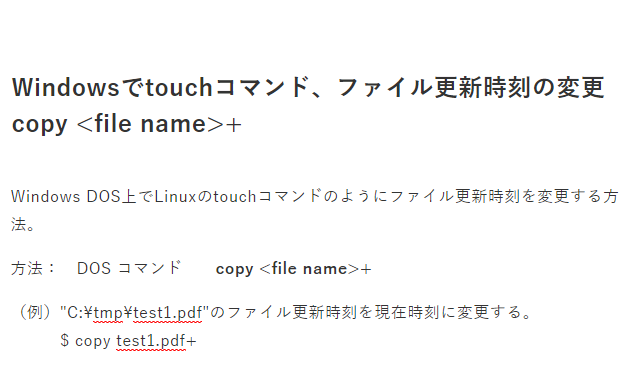
Windows DOS上でLinuxのtouchコマンドのようにファイル更新時刻を変更する方法。
方法: DOS コマンド copy <file name>+
(例)"C:\tmp\test1.pdf"のファイル更新時刻を現在時刻に変更する。
$ copy test1.pdf+
---log---------------------------------------------------------------------------
C:\tmp>dir
Volume in drive C has no label.
Volume Serial Number is 1040-48AC
Directory of C:\tmp
2019/03/28 10:47 <DIR> .
2019/03/28 10:47 <DIR> ..
2019/02/20 23:01 324,180 bbb.log
2019/03/04 17:07 1,447 aaa-1.txt
2019/03/28 10:37 4,825 memo1.txt
2019/03/14 13:22 110,185 test1.pdf
4 File(s) 440,637 bytes
2 Dir(s) 73,084,973,056 bytes free
C:\tmp>
C:\tmp>copy test1.pdf+
1 file(s) copied.
C:\tmp>dir
Volume in drive C has no label.
Volume Serial Number is 1040-48AC
Directory of C:\tmp
2019/03/28 10:47 <DIR> .
2019/03/28 10:47 <DIR> ..
2019/02/20 23:01 324,180 bbb.log
2019/03/04 17:07 1,447 aaa-1.txt
2019/03/28 10:37 4,825 memo1.txt
2019/03/28 10:50 110,185 test1.pdf
4 File(s) 440,637 bytes
2 Dir(s) 73,085,976,576 bytes free
C:\tmp>
---END-------------------------------------------------------------------------------
0人がサポートしています
 35.37 ALIS 0.00 ALIS